Telegram bot

It's the same bot under two names — @Dhammagift_bot and its short form @Dgift_bot — same functionality, either one works. It works in two ways: inline, right in the message box of any chat or group, and in its own chat, where the same things work plus the commands and the settings.
Inline
Type @dgift_bot in the message box of any chat and then a Pali word
(kacchapa), a text number (mn10, sn56.11) or Velthuis transliteration
(.t .d .n ~n aa ii uu → ṭ ḍ ṇ ñ ā ī ū, so satipa.t.thaana works as well as
satipaṭṭhāna). Telegram answers with:
✏️ Send: <text>— the main result: that text with links to the site and the dictionary;- dictionary words that match what you typed — pick one, and the message uses the proper spelling with diacritics.
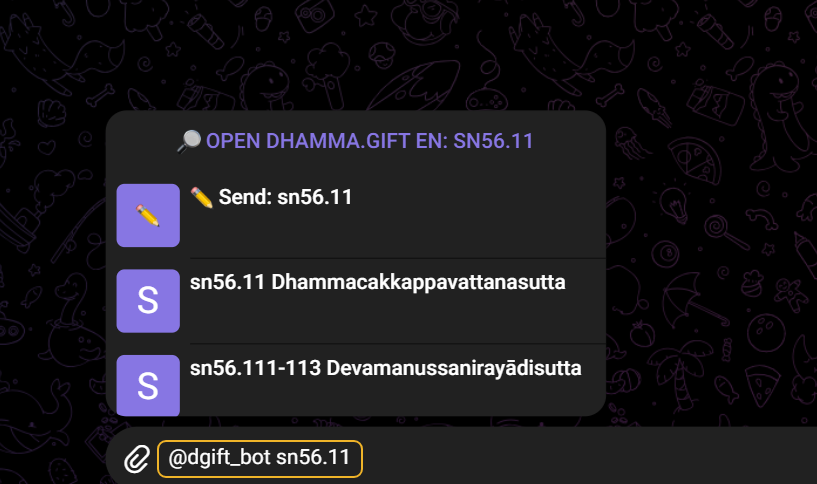
In the frame: what is typed in the message box of any chat or group, not in the bot's own chat.
If the word is in the built-in mini dictionary (the Pāli–English one, with a Russian translation for the Russian interface), its short meaning is shown in the list under the word, and in the sent message — between the word and the links:
kacchapa — masc. tortoise; turtle; lit. drinking marsh
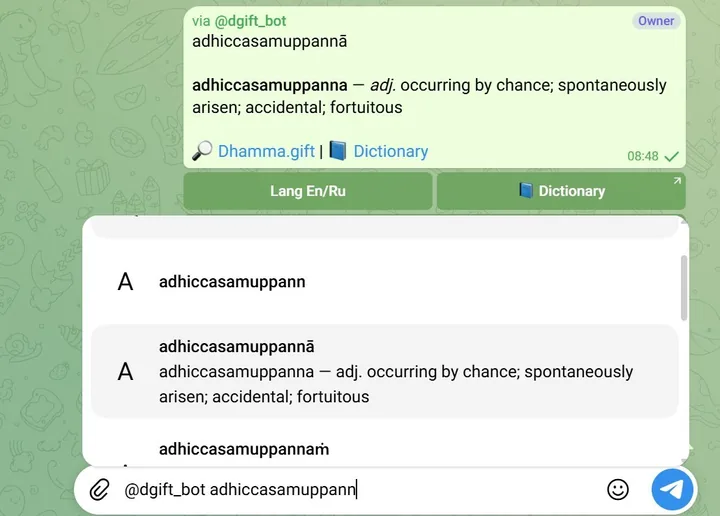
A form is traced back to its dictionary word (kacchapā → kacchapa),
up to four words are shown with … if there are more (the list is not
exhaustive), the part of speech is in italics, and when there is no Russian
translation of a word the English one is shown. Machine-translated Russian
entries are marked [пер. ИИ].
Above the list there is a button — 🔎 Open Dhamma.gift En: sn56.11 — it opens
Dhamma.gift as a Mini App with the query already searched.
Search and read
A picked result lands in the chat as a message of the bot: the text, the links and, under the message, the buttons.
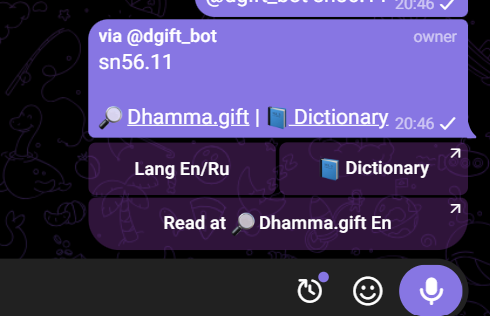
🔎 Dhamma.gift— the word or the text in the site's search;📘 Dictionary— the word in the dictionaries (dict.dhamma.gift); its short meaning from the mini dictionary is already in the message, above the links;Read at 🔎 Dhamma.gift En— the text itself, in the reader.
An extra word does not break the link: mn10 metta still opens mn10.
The same search and reader are the Mini Apps behind /extra:
search,
reading,
dictionary and
Memo.
Uposatha days
/uposatha in the bot's chat, or @dgift_bot uposatha in any chat — the next 30
days as the suttas count them: the 8th, 14th and 15th lunar day of each half-month,
six days a month. Without a city the list is the one for Bodh Gaya, with Bodh
Gaya's real sunset, dawn and noon times.
@dgift_bot uposatha Chiang Mai (or /uposatha Chiang Mai) — the same days with
the real sun times of a city: when the day begins (sunset), dawn, noon and when it
ends (the next sunset). /uposatha <city> in the bot's chat also remembers the
city, so the bare command keeps using it; /uposatha reset forgets it. The inline
query does not remember the city.
An empty inline query — @dgift_bot and a space — shows the Uposatha list for
your saved city, or for Bodh Gaya if there is none.
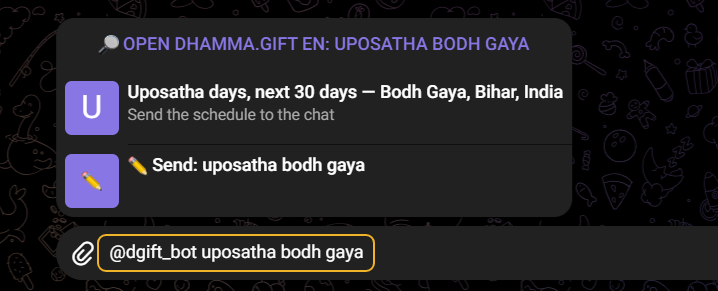
In the frame: what is typed in the message box of any chat or group, not in the bot's own chat.
The dates are the same for everybody — the moon is one — and only the sun times
are local. The list ends with Times: begin · dawn · noon · end, and two buttons
sit under the message: the Ru/En switch and the link to the full calendar at
dhamma.gift/uposatha-calendar.
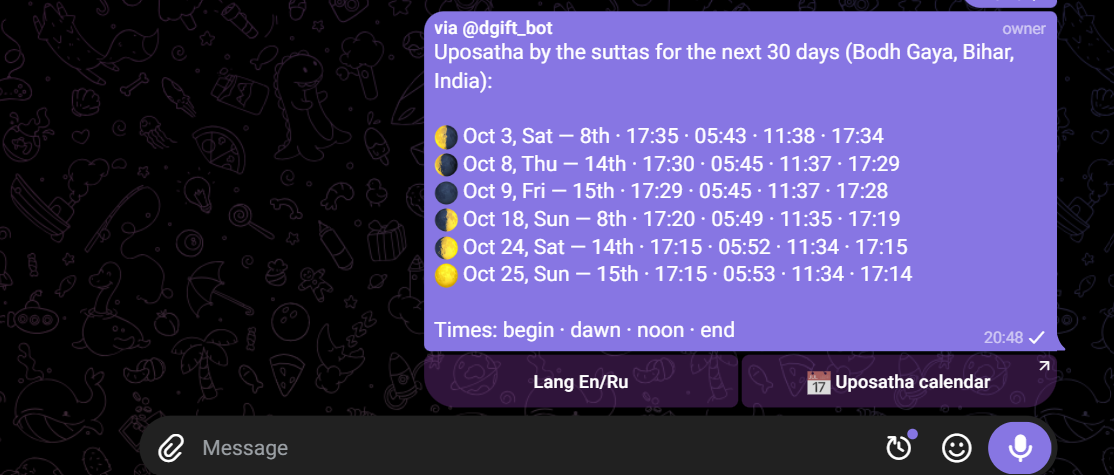
How to read these days is on the Uposatha days page. The same calendar is an app with widgets, Uposatha by the Suttas: App Store · Google Play · Microsoft Store.
In the bot's chat
Search and reading work here too — just without @dgift_bot: send a word
(saariputta) or a text number (mn10), and you get the same message with the
same links and buttons. For the Uposatha days use /uposatha: a plain uposatha
is searched as a word. On top of that, the bot has commands and settings.
| Command | What it does |
|---|---|
/start | the welcome message, with a button that switches the interface language |
/language | choose the interface language (English / Русский) |
/extra | links to the Mini Apps: search, reading, dictionary, and the 🛞 Memo button (in the bot's own chat) |
/docs | the link to this documentation |
/uposatha | Uposatha days for the next 30 days |
Settings
- Language —
/language(two buttons, the current one is checked) sets it; the button under the/startwelcome message and under any message (Lang En/Ru/Язык Ru/En) switches it. The choice is remembered and affects the links: the Russian interface leads todhamma.gift/<query>?lang=ruanddict.dhamma.gift/ru/<query>. - The city for the Uposatha list —
/uposatha <city>remembers it,/uposatha resetforgets it, and the empty/uposathakeeps showing it. - The Menu button next to the message box (
DG en/DG ru) — opens dhamma.gift as a Mini App in the language you chose.