TOC Navigator
A canon-wide table of contents (Sutta Piṭaka + Vinaya), separate from the reader's own per-sutta TOC (see Reader) — this one lets you browse the whole collection and jump straight into a chapter. You can also open it from anywhere on the site — Alt+2.
Features
-
Lazy tree — books and chapters expand on demand instead of loading the whole canon up front.
-
Translator filter — a side panel with a "Find translator…" search box, a separate group of checkboxes per language (with a text count next to each translator), and a select-all checkbox per group. Less-common translators are tucked behind a "More" link. Filtering hides entire books/chapters that have nothing matching, rather than just greying out individual rows.
-
Collapsible side panel — open/closed state is remembered (
localStorage), open by default on wide screens and closed by default on phones. -
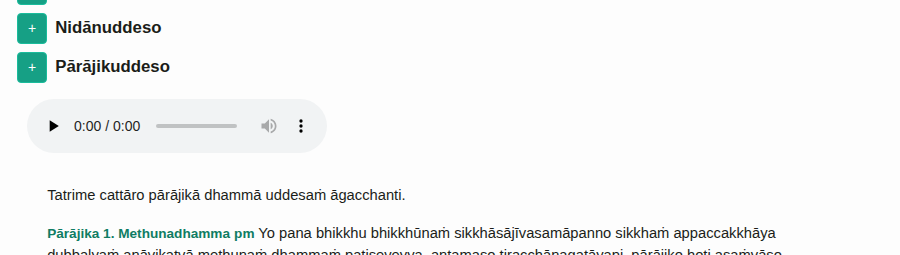
Inline Pātimokkha preview — the bhikkhu/bhikkhunī Pātimokkha sections expand right on the page, with Pali text and a built-in audio player for each sub-section, no need to jump into the full reader:
-
Short URLs —
/toc/<id>opens the TOC scrolled straight to a given section (e.g./toc/mn,/toc/sn25).
Once you uncheck something, it stays unchecked on your next visit — easy to forget, and then wonder why some translations seem to have "disappeared". While the filter is active, a "Filter active — reset" link appears above the tree.
The Khuddaka Nikāya isn't shown in full
The * next to "Khuddaka Nikāya" means not every book in the collection is shown — by default just Itivuttaka, Udāna, Suttanipāta, Dhammapada, Theragāthā and Therīgāthā. Hover the asterisk to see the list:

The remaining books (Jātaka and others) turn on from the Quick Settings panel → "Where to search" — see Search — the same toggle also controls what's visible here, in the TOC.